 ภาษาไทย
Step-by-Step Online Booking Guide
Follow each step from selecting your route to completing payment. Click any screenshot to zoom in.
-
Select Route & Travel Date
Choose your departure terminal, destination, departure date, and number of passengers.
Click Search Buses
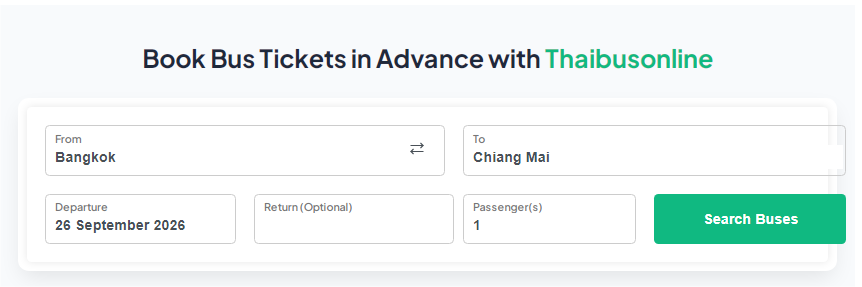 Zoom Image
-
Choose Your Bus Departure
The system displays all available coach schedules from various operators. Select your preferred departure time.
Click Select
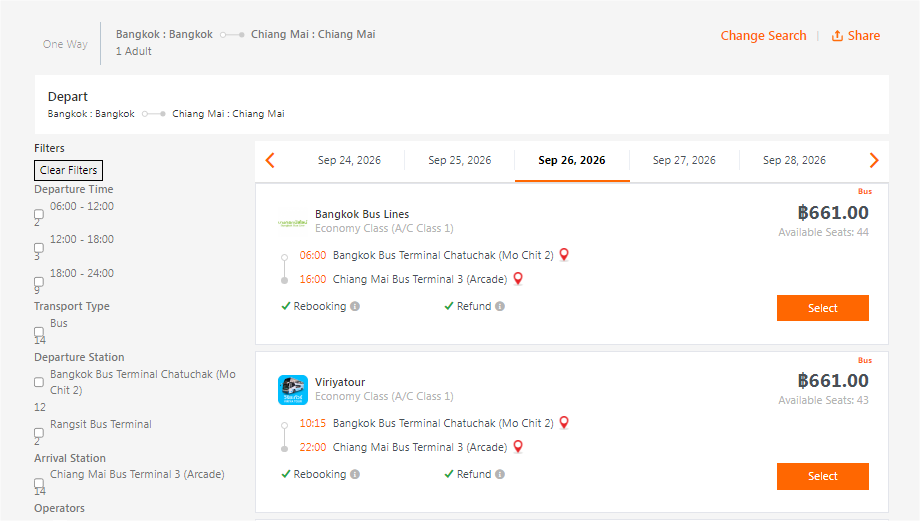 Zoom Image
-
Review Trip Details & Insurance
Review your selected trip details and optionally add travel insurance protection (optional coverage).
Click Select / Continue
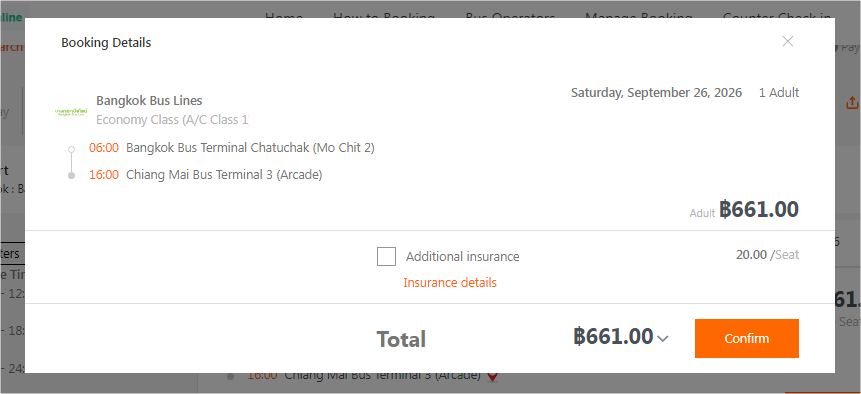 Zoom Image
-
Enter Passenger Information
Fill in complete passenger names, contact phone number, and email address for ticket confirmation.
Click Continue
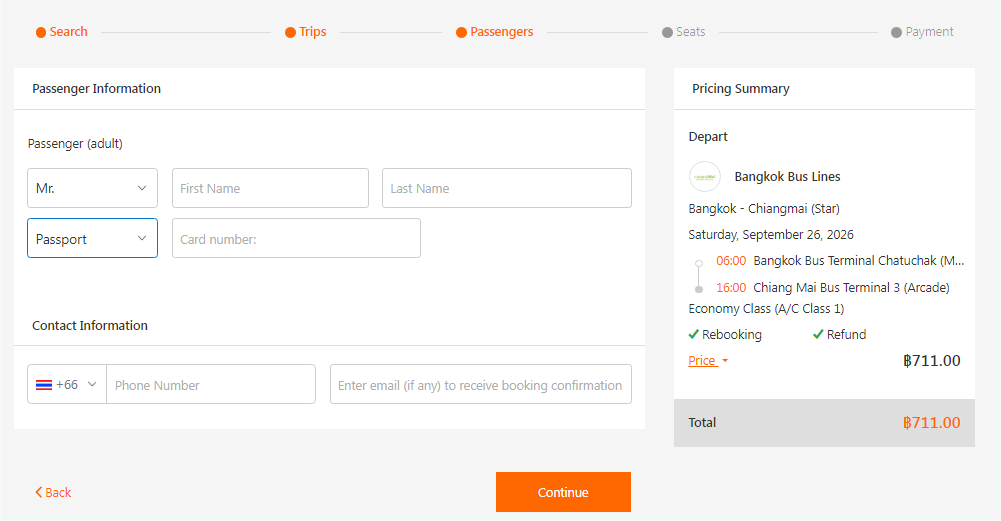 Zoom Image
-
Select Your Preferred Seat
Use the online seat selection map to pick your favorite window, aisle, or VIP seat.
Click Continue
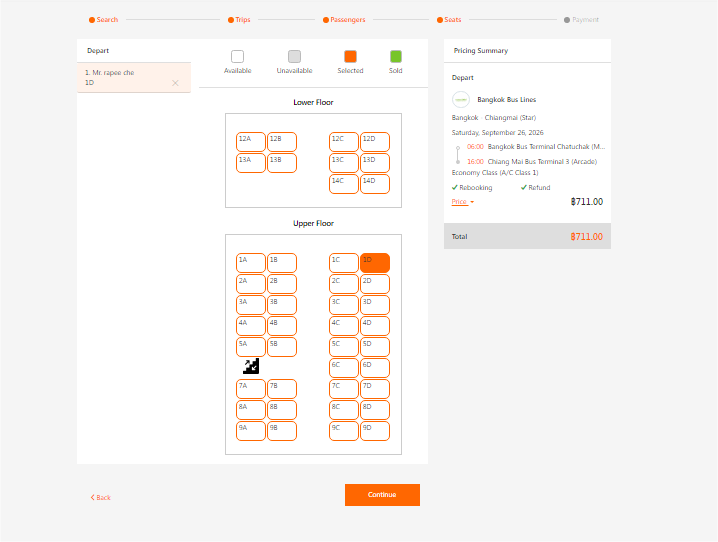 Zoom Image
-
View All Payment Options
Choose from multiple convenient payment methods accepted across Thailand and internationally.
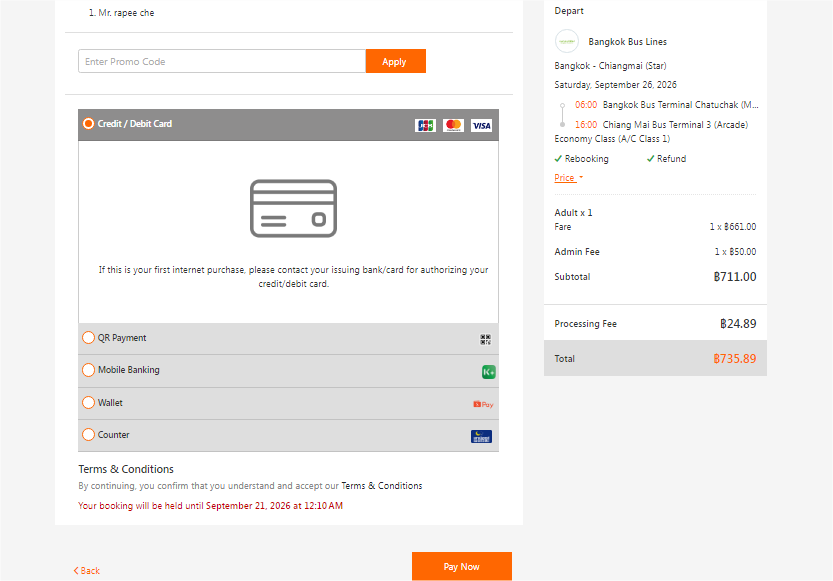 Zoom Image
-
Complete Payment
Select your preferred payment channel and finalize your transaction.
Click Pay Now
Pay Online (Instant Confirmation)
- Credit / Debit Card
- PromptPay QR
- Mobile Banking
Seats are confirmed automatically right after successful payment.
Pay at 7-Eleven Stores
You will receive a booking payment code/barcode to present at any 7-Eleven counter.
Payment must be completed within 3 hours, otherwise the system will automatically release reserved seats.
-
Check Booking Status
Once payment is completed, you can check and verify your ticket booking status anytime.
Check Booking Status
What to Do on Travel Day
- Arrive at the departure bus terminal at least 30 minutes before departure time.
- Proceed to the designated bus operator ticket counter. Present your booking confirmation SMS or show your phone screen to collect your physical paper ticket.
- Head to the designated departure platform (gate) and wait for boarding call.